 Specter Cite
Navigation
Introduction
Connect
Reference
More
Connect
Claude
Set up Specter Cite as a custom connector in Claude (web and desktop). Each person does this once.
Server URL
https://cite.specterlaw.ai/mcpSetup
In Claude, open Customize → Connectors and choose Add custom connector.
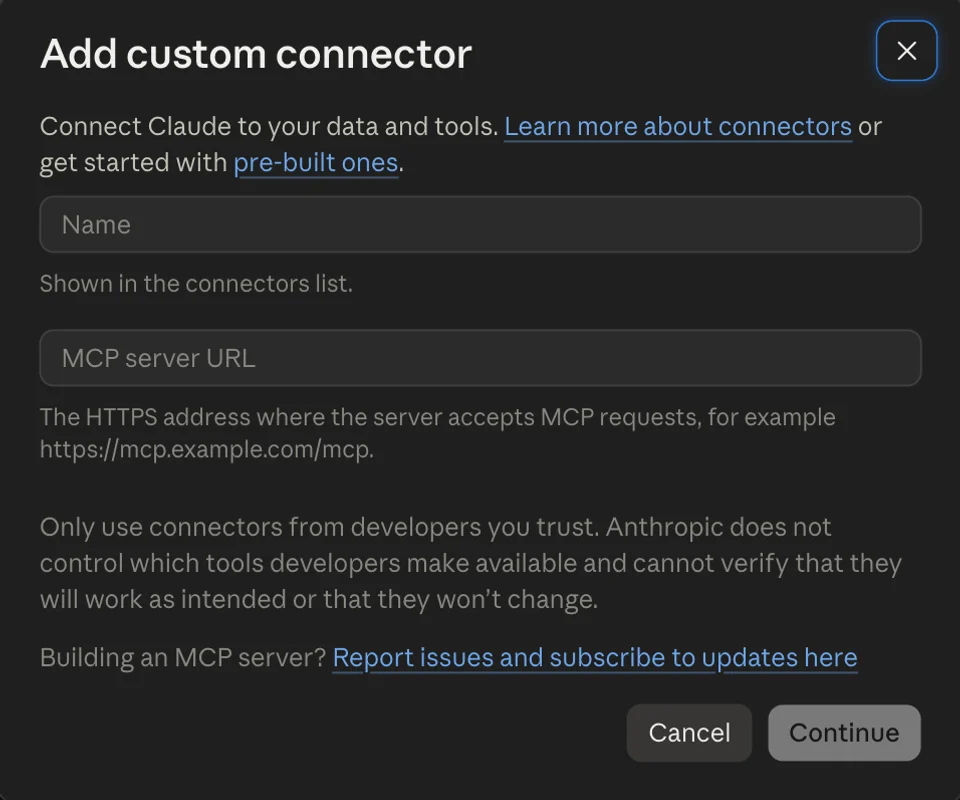
Name:
Specter Cite, URL: the server URL. Keep the defaults (Sign in now, Claude’s published identity) and click Add.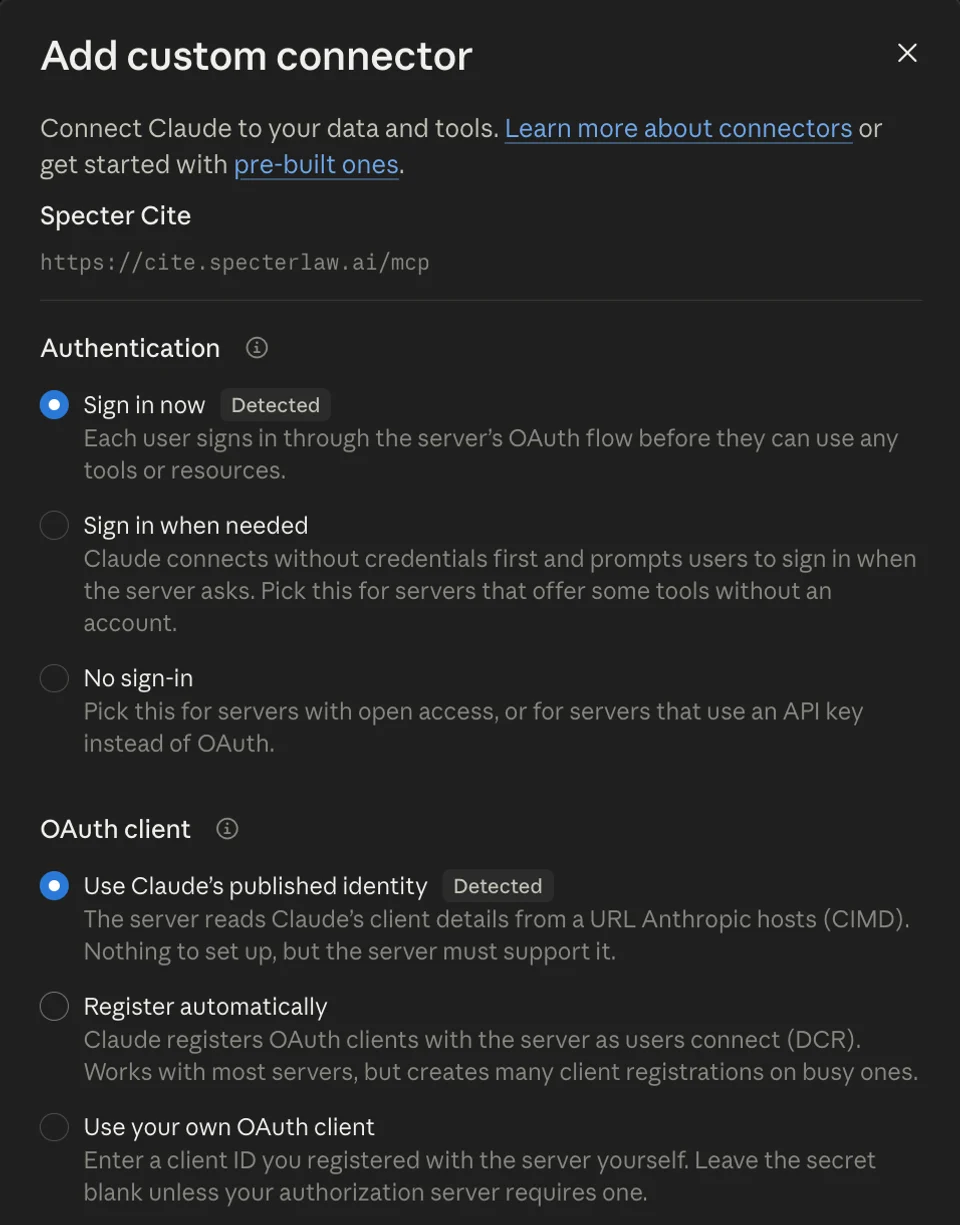
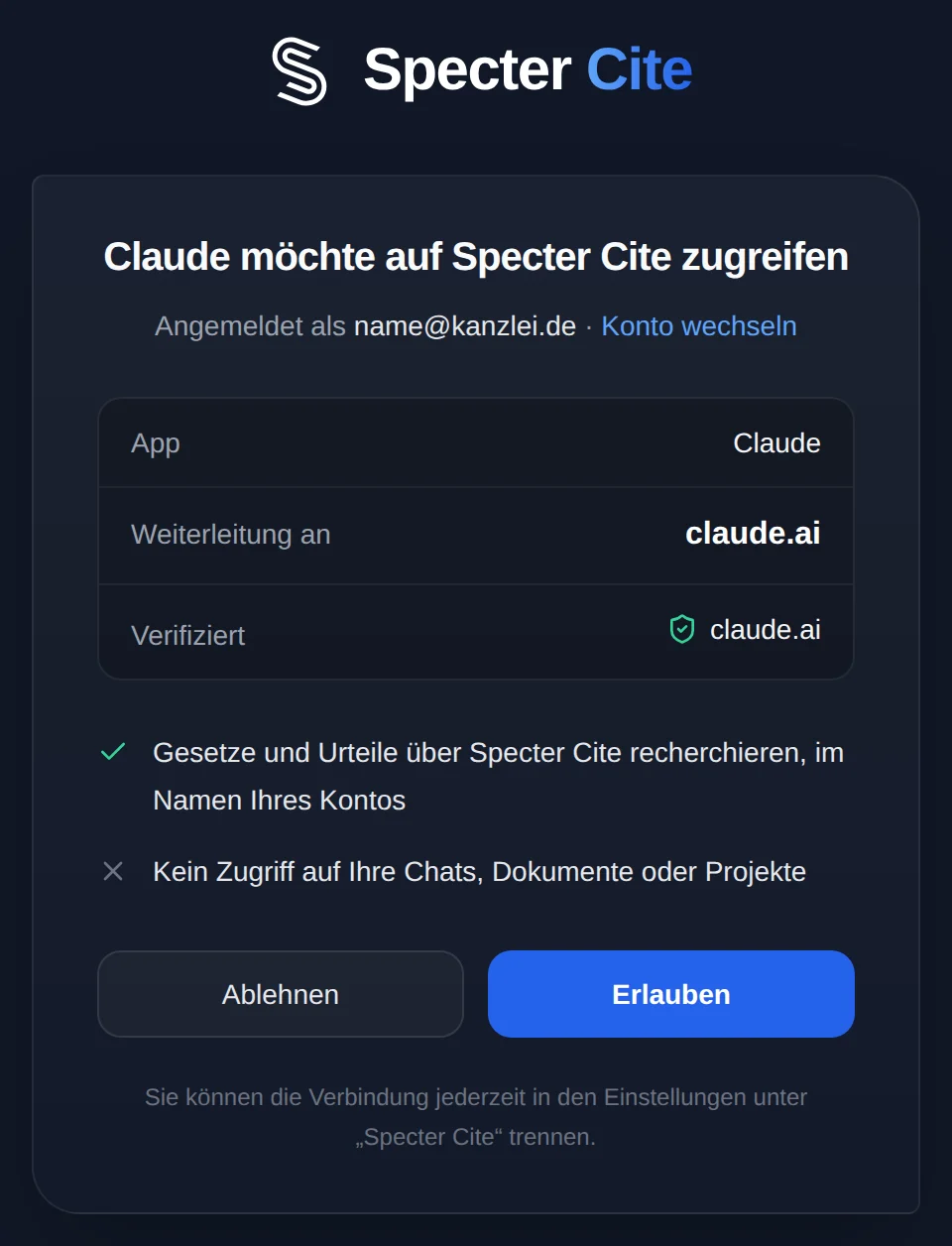
Sign in with your Specter account and click Erlauben (Allow).
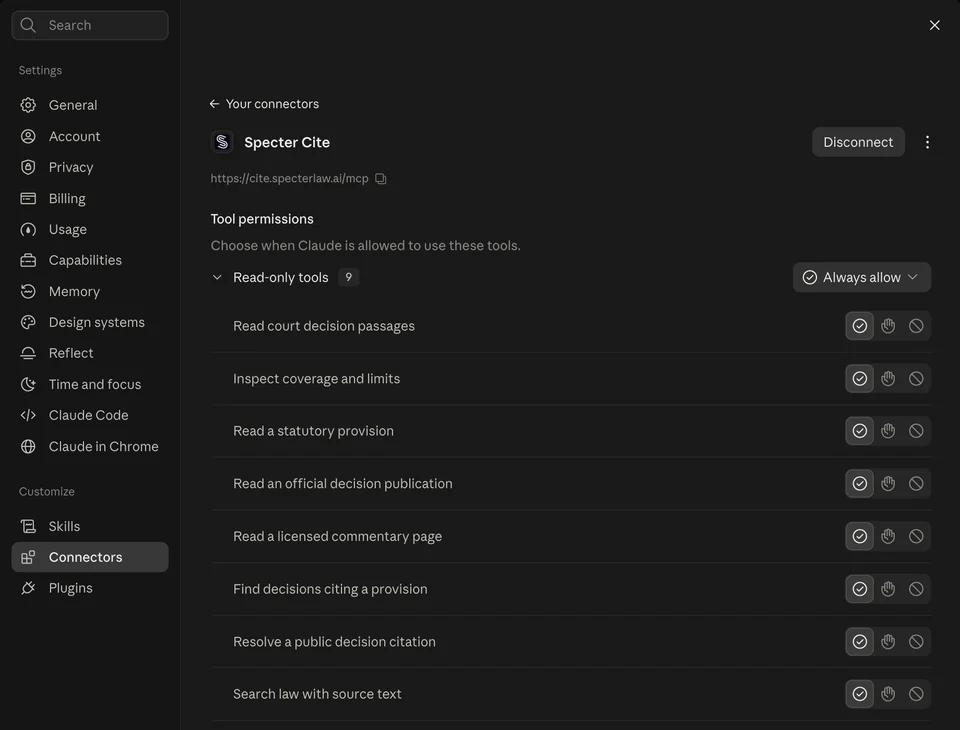
Specter Cite now appears under Customize → Connectors. All tools are read-only.
Use Specter Cite by default
The assistant decides for each question whether to use Specter Cite. To have it reliably do so first for legal questions, save this sentence once. In Claude, click your name in the lower left, open Settings → Account and enter it under Instructions for Claude. In a project it belongs in the project instructions.
For questions about German or EU law, use Specter Cite first and quote the wording with its source.Team und Enterprise
On Claude Team or Enterprise the owner adds the connector once under Organization settings → Connectors. Each member then clicks Connect.